Scroll Animation Inspector in your browser
Find out how a page animates on scroll, which libraries it loads and whether it respects reduced motion. Free, private and local.
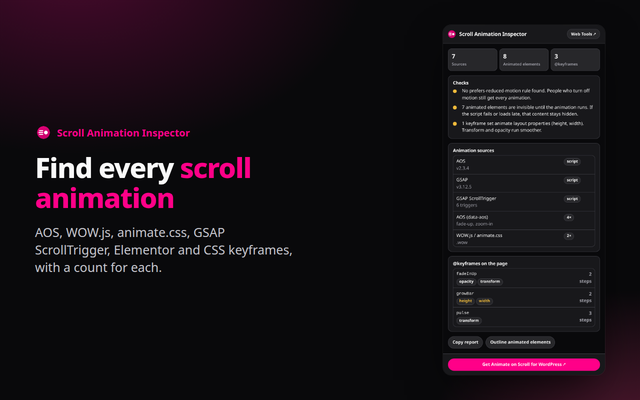
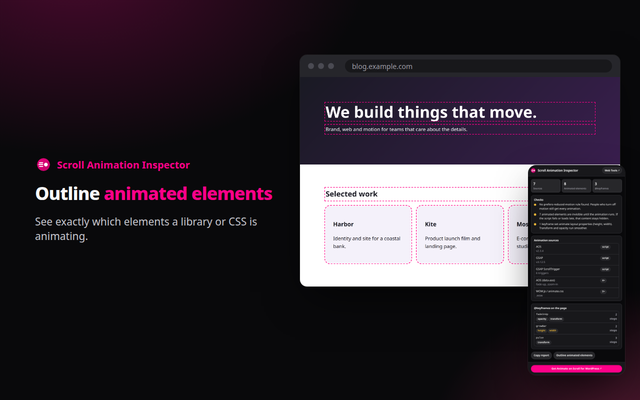
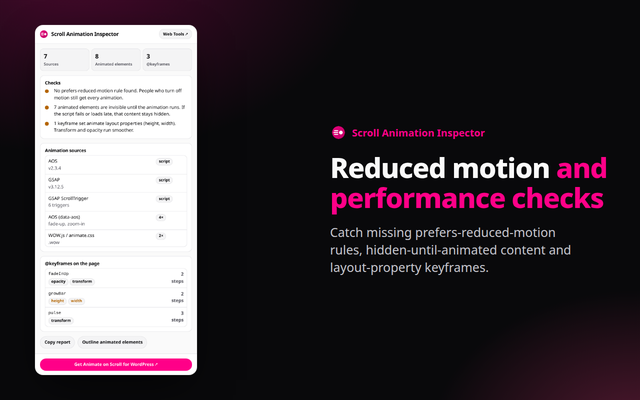
Quick answer: Scroll Animation Inspector is a free browser extension for Chrome, Edge and Opera (Chromium browsers). It detects AOS, WOW.js, animate.css, GSAP ScrollTrigger, Elementor animations and CSS keyframes, counts the animated elements, and checks reduced motion and performance. Everything runs in your browser.
What it does
- Finds the source: AOS, WOW.js, animate.css, ScrollReveal, GSAP and ScrollTrigger, Lenis, Locomotive Scroll, Elementor entrance animations and CSS scroll-driven animations.
- Outlines elements: see exactly which elements are animated, and read every @keyframes rule with the properties it changes.
- Checks the cost: no prefers-reduced-motion rule, content hidden until animated, keyframes that animate layout properties, and the weight of the animation scripts.
How to install
- Download the zip above and unzip it to a folder you will keep.
- Open
chrome://extensions(oredge://extensions,opera://extensions) and switch on Developer mode. - Click Load unpacked and choose the unzipped folder, then pin the extension from the puzzle-piece menu.
Firefox only keeps unsigned add-ons until it restarts (about:debugging, Load Temporary Add-on), so a Firefox build will come from the add-ons store once published.
Private by design
The extension runs entirely in your browser. It reads a page only when you open it, sends nothing anywhere, and needs no account. See the Developry privacy policy.
Prefer the web version?
The same kind of tools work in any browser tab: try the free scroll animation generator on this site, or get the Animate on Scroll plugin for WordPress.
Frequently asked questions
Is the extension free?
Yes. It is free, with no account and no ads.
Will it find every animation?
No. It looks for the markers libraries leave in the page and in readable stylesheets. Custom code can animate without leaving any, and cross-origin stylesheets cannot be read.
Does it change the page?
Only if you click Outline, which adds temporary outlines you can clear.
Which permissions does it need?
activeTab and scripting, to read the current page when you open the popup. One check runs in the page's own JavaScript world to see libraries such as AOS.
Which browsers are supported?
Chrome, Edge, Opera and other Chromium browsers, installed from the downloaded zip. Firefox will follow through the add-ons store.
Is there a WordPress plugin?
Yes. Animate on Scroll by Developry. The plugin page is on developry.com.